View To Image
[ Reference ]
Description
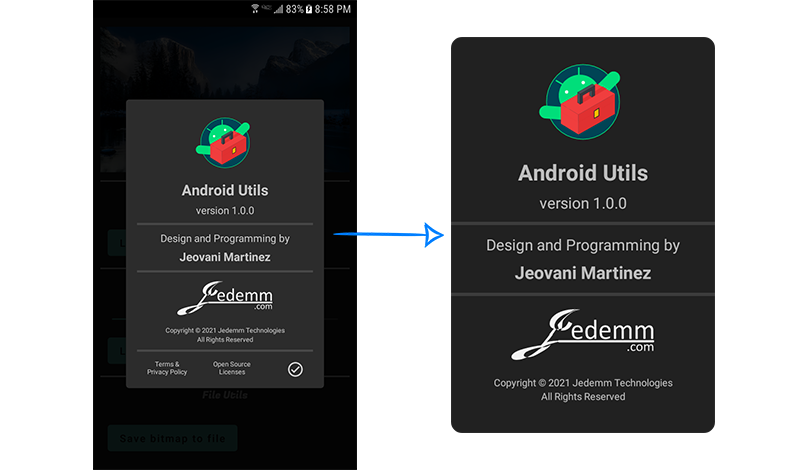
Utility for convert views to images. Works for any view and view groups, including layouts with all their children views.
Usage
Call the following function of the utility passing the configuration to generate the image of the view.
[ Configuration Parameters ]
val bitmap = ViewToImage.convert(
    view = binding.rootLayout,
    backgroundColor = getColorCompat(R.color.colorBackground),
    backgroundCornerRadius = CornerRadius(10f).asDpToPx(context),
    trimBorders = false,
    padding = Padding(0f, 0f, 18f, 0f).asDpToPx(context),
    margin = Margin(0f),
    viewsToExclude = arrayListOf(
        ExcludeView(binding.bottomSeparator, ExcludeMode.CROP_VERTICALLY),
        ExcludeView(binding.termsAndPolicy, ExcludeMode.CROP_VERTICALLY),
        ExcludeView(binding.openSourceLicenses, ExcludeMode.CROP_VERTICALLY),
        ExcludeView(binding.closeBtn, ExcludeMode.CROP_VERTICALLY)
    )
)
Considerations
> Padding and Margin
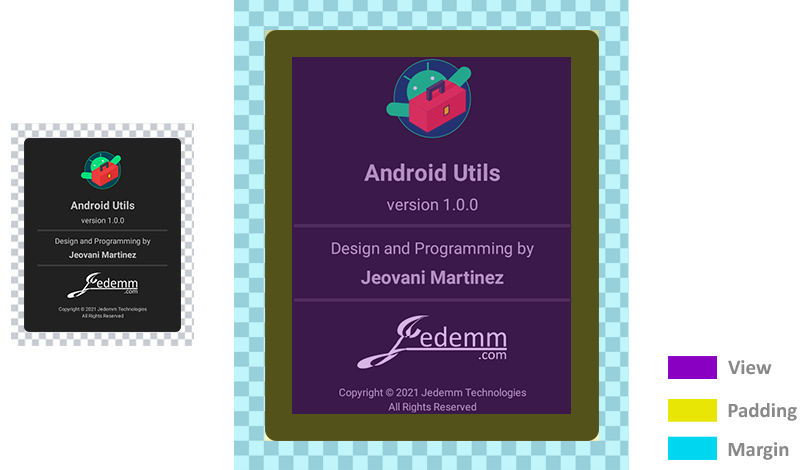
When converting the view to an image, a margin and padding can be specified, the margin is completely independent (and it will always be transparent), and the padding is applied within the specified background, for example:
> Exclude Children Views
If the view to be converted to an image is a view group as a layout, by default the generated image includes all children views, however, it is possible to pass a configuration to exclude certain children views in different ways.
ExcludeMode enum defines the ways in which the child view can be excluded from the image.
[ Reference ]
ExcludeView define the configuration to exclude a child view from the image.
[ Reference ]
note
The children views to exclude must belong directly to the view. For example, if the view is a Linear Layout, which has a Constraint Layout as child view, the Constraint Layout can be excluded, but not its children views.
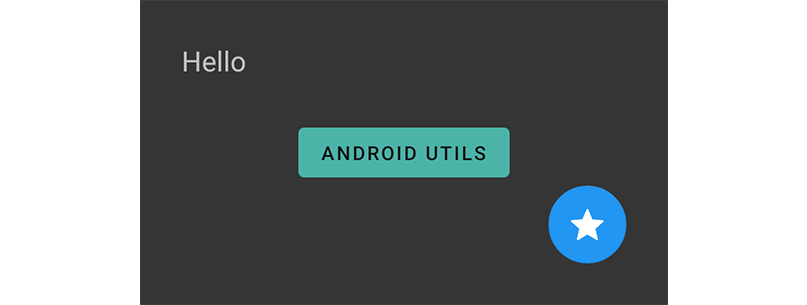
To exemplify the ways in which a child view can be excluded, we will consider the following layout:
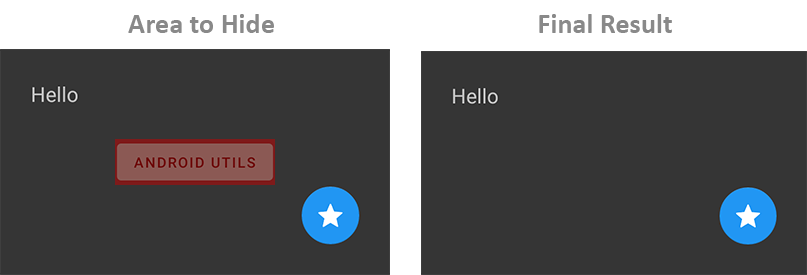
- Hide
ExcludeMode.HIDE
In this mode, the space occupied by the child view is replaced by the background color.
viewsToExclude = arrayListOf(
    ExcludeView(demoButton, ExcludeMode.HIDE)
)
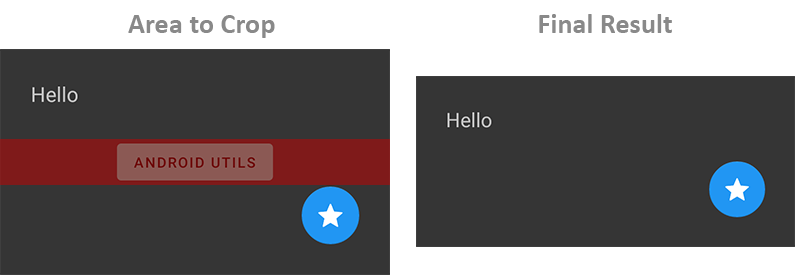
- Crop Vertically
ExcludeMode.CROP_VERTICALLY
In this mode, the image of the view is cropped vertically, deleting all the space occupied by the child view.
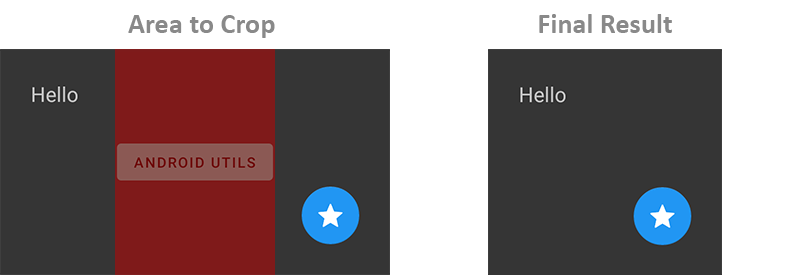
- Crop Horizontally
ExcludeMode.CROP_HORIZONTALLY
In this mode, the image of the view is cropped horizontally, deleting all the space occupied by the child view.
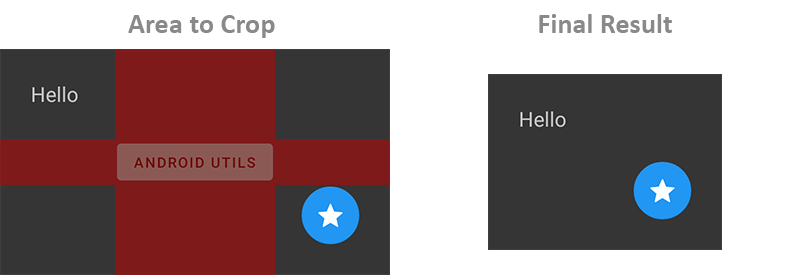
- Crop All
ExcludeMode.CROP_ALL
In this mode, the image of the view is cropped vertically and horizontally, deleting all the space occupied by the child view.